1 of 5 · click the picture or use the arrows to see them all
Australian Couples Retirement Planner
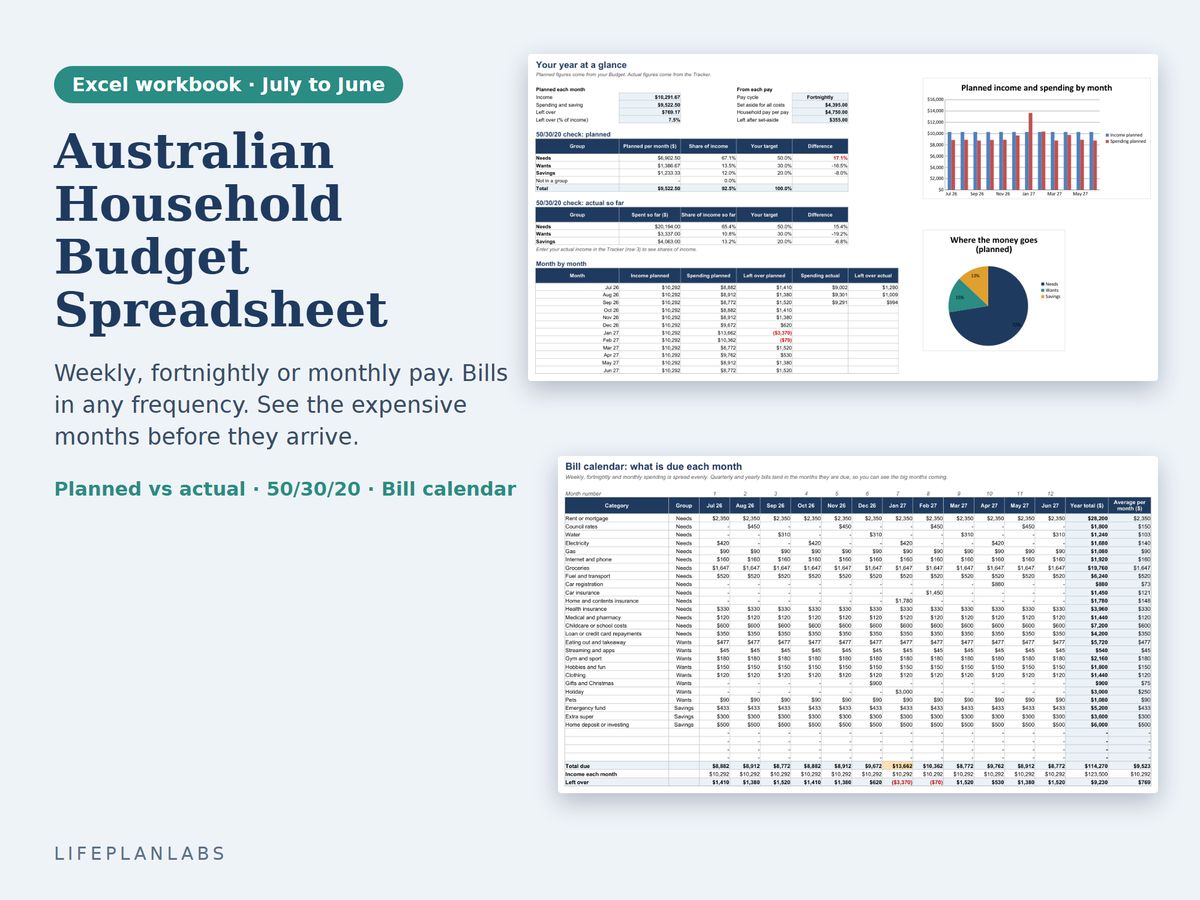
Plan retirement as a couple: super, Age Pension, Division 296 tax and market risk in one Excel and Google Sheets workbook, using the rules from 1 July 2026.
A$24 AUD, one-off, instant download
Excel (.xlsx), no macrosGoogle Sheets copy linkExample and Blank versions
Buy on Etsy · A$24You pay on Etsy, which handles the payment securely. Your files are ready to download straight away. Prices are as listed on Etsy, in Australian dollars. Etsy may add GST at checkout.
Updated 31 October 2026. Delivery, formats and licence
What you get
- Planner: Example, filled in for a sample couple so you can see how it works
- Planner: Blank, ready for your own numbers
- A Google Sheets copy link, so you can use it in Google Sheets as well as Excel
- A Start Here sheet and a Rates sheet that lists every government figure with its source and date
What it does
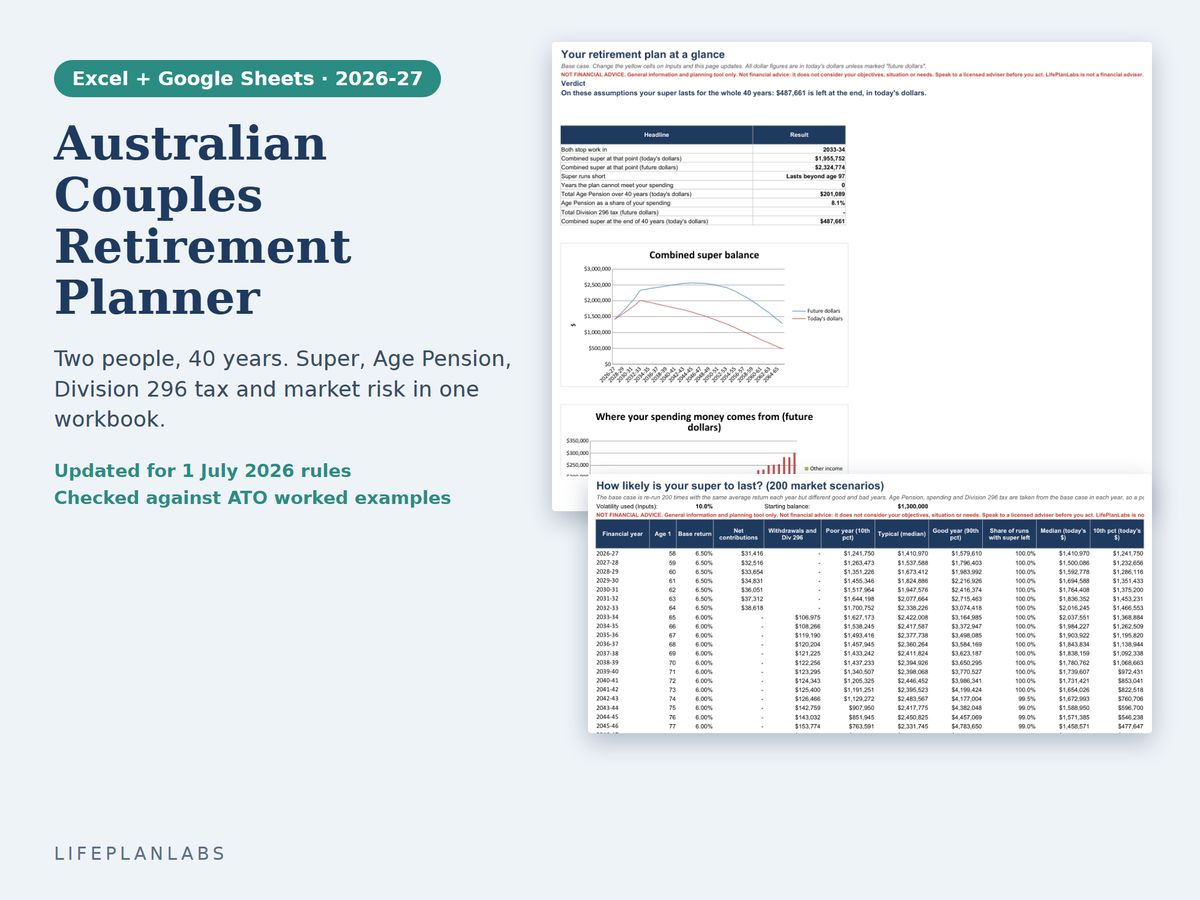
- Two people, year by year for 40 years: salaries, super balances, stop-work ages and the age each pension starts
- Super guarantee and salary sacrifice within the concessional cap, with Division 293 tax, after-tax contributions and spouse contribution splitting
- Minimum pension drawdowns, retirement spending and withdrawals shared between the two accounts
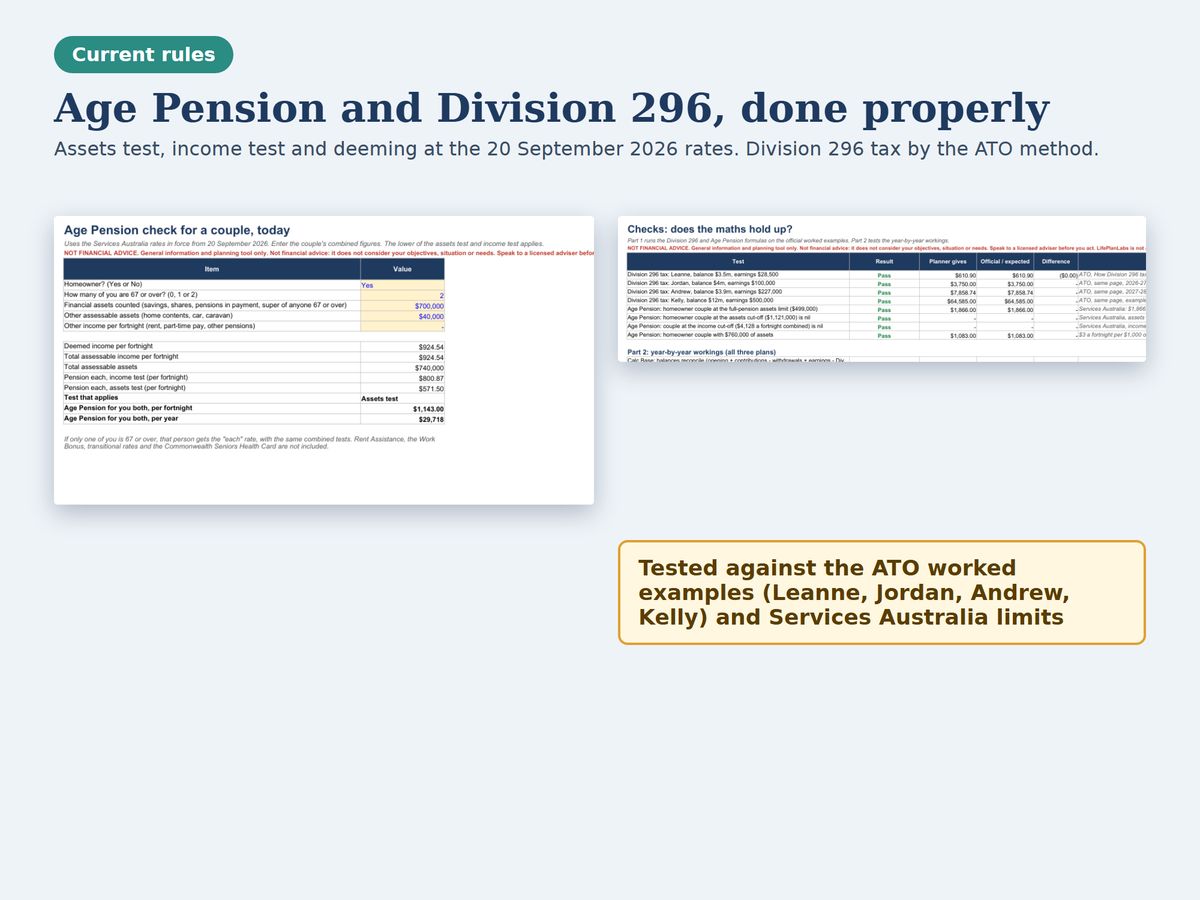
- Age Pension assets test, income test and deeming at the 20 September 2026 Services Australia rates, for homeowners and non-homeowners
- Division 296 tax worked out by the ATO method, including the extra 10% above $10 million and the indexed thresholds
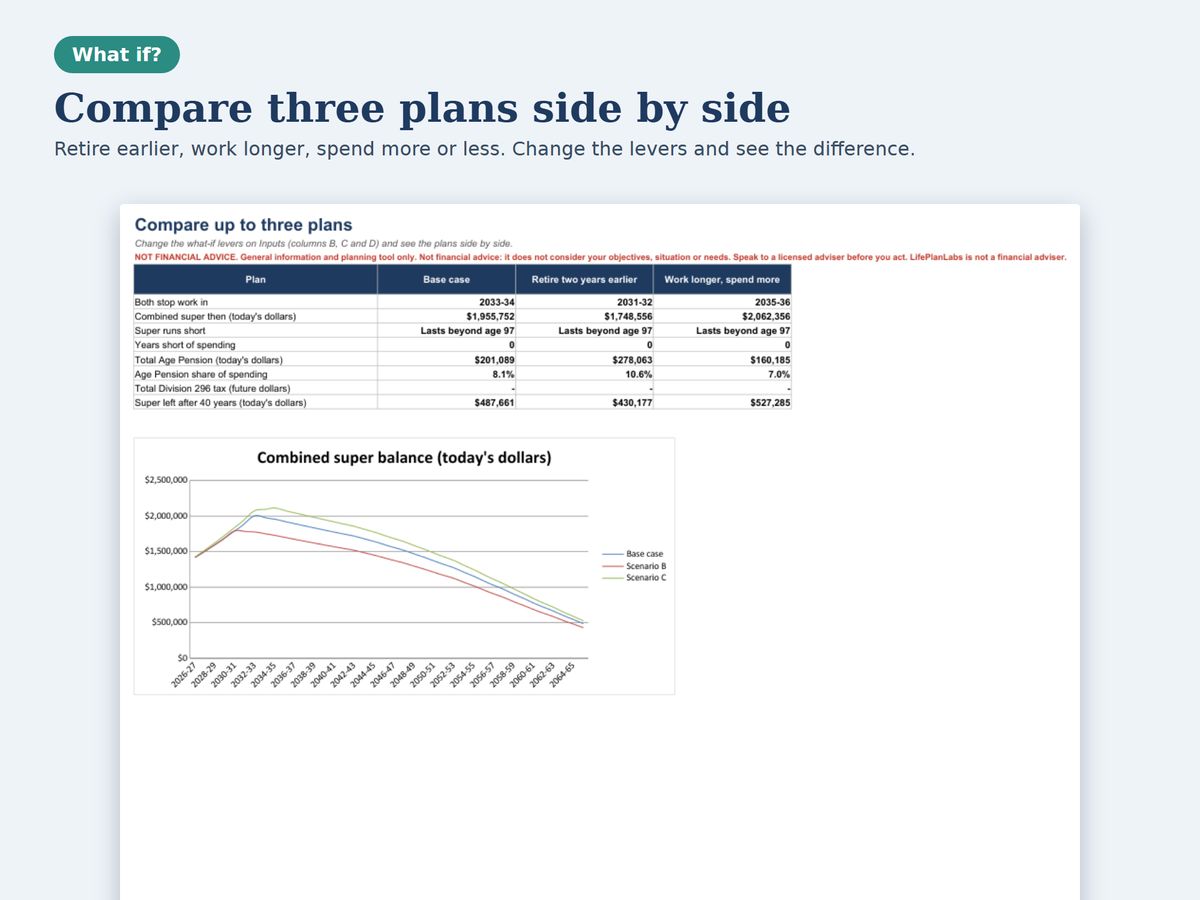
- Compare three plans side by side: retire earlier, work longer, spend more or less
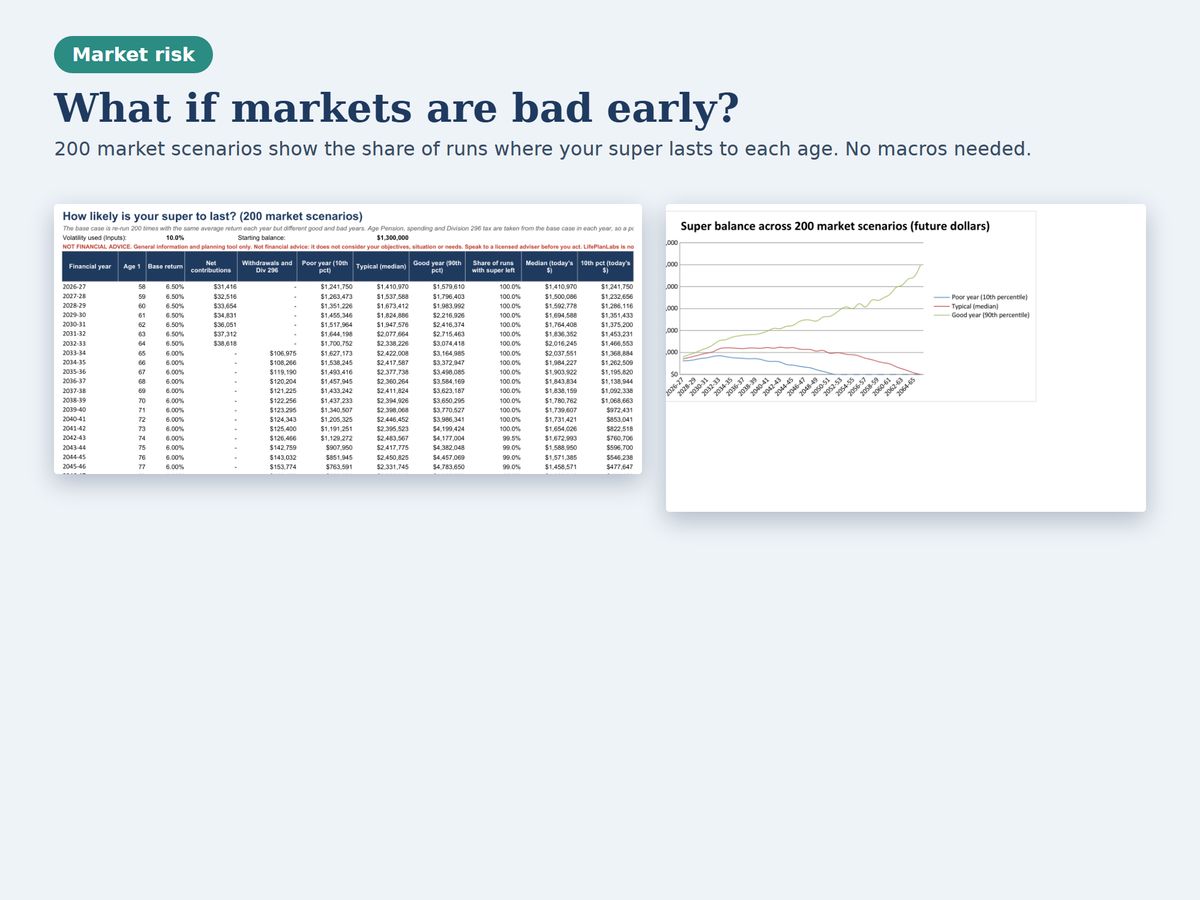
- A Risk sheet that runs 200 market scenarios, with no macros, and shows the share of runs where your super lasts to each age
- A Contributions planner for cap room, unused cap carry-forward, tax saved and the after-tax cap
- An Age Pension checker for today, and a Check sheet that shows every test
Who it is for
- Couples in their 40s, 50s and 60s who want to know whether their super will last
- People with larger balances who want to see what Division 296 means for them
- Anyone deciding when to stop work, how much to salary sacrifice or when to start a pension
How to use it
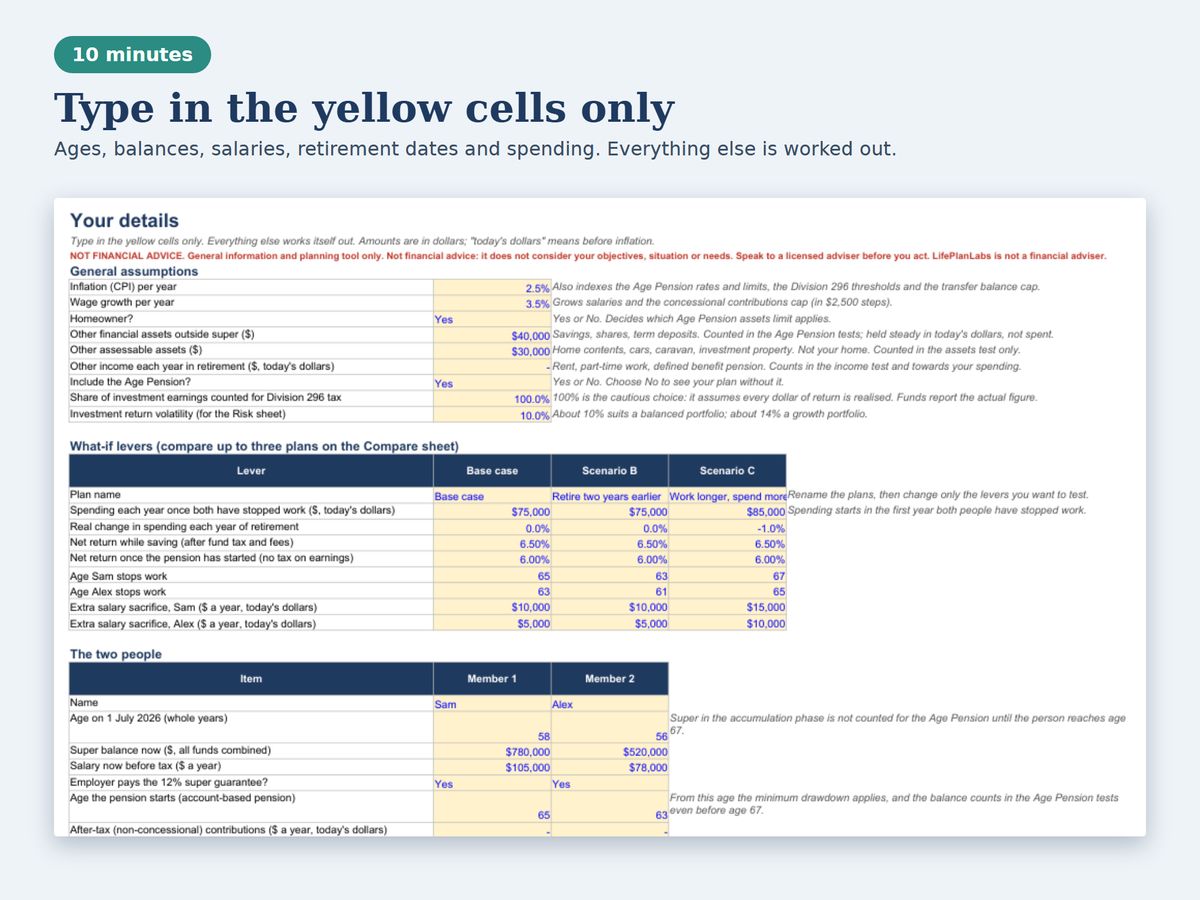
- Open the Inputs sheet. Type in the yellow cells only: inflation and wage growth, then each person's age (or date of birth), super balance, salary and when you plan to stop work.
- Set your spending. Enter what you want to spend each year once both of you have stopped work, in today's dollars. Change the what-if levers in columns C and D to test other plans.
- Read the Results. The Results sheet gives a plain-English verdict, headline numbers and charts for balances, income sources, the Age Pension and Division 296 tax.
- Check the risk. Open Risk to see how often your super lasts when markets are good or bad. Open Compare to see your three plans side by side.
- Look at contributions. The Contributions sheet shows your cap room, unused cap you can carry forward and the tax saved by extra contributions.
- Update the rates each year. Every government figure is on the Rates sheet with its source and date. Change the yellow cells and the whole workbook follows.
Details
| Format | Excel workbook (.xlsx), plus a Google Sheets copy |
|---|---|
| Macros | None |
| Sheets | Start Here, Inputs, Results, Compare, Risk, Contributions, Age Pension, Rates, Check and three year-by-year working sheets |
| Rules used | 2026-27: ATO and Services Australia figures read on 31 October 2026 |
| Tested in | Excel format, LibreOffice and Google Sheets |
| Checks | ATO Division 296 worked examples, Services Australia limits, and an independent model in six scenarios |
What it leaves out
- Defined benefit pensions are not modelled (enter them as other income)
- Tax on income outside super, Rent Assistance, aged care costs and death benefits tax are left out
- The rates are for 2026-27. Update the Rates sheet each July, and for the Age Pension each March and September
- It is a planning tool, not a prediction, and it is not financial advice
Common questions
Does it work in Google Sheets?
Yes. You get a link that makes your own copy in Google Sheets. We checked that the Google Sheets copy gives the same results as the Excel file. In Google Sheets, set File, Settings, Locale to your country so dates show in your style.
Is Division 296 included?
Yes, using the method on the ATO website: the tax applies to the share of earnings above the threshold, with an extra 10% above $10 million. For 2026-27 only the 30 June 2027 balance counts. The Check sheet runs the ATO's own worked examples.
Which Age Pension rates does it use?
The rates and limits that came into force on 20 September 2026. They are on the Rates sheet, with the source, so you can update them when they change each March and September.
Can I use it for one person?
It is designed for couples. The Age Pension rules for a single person are not included, so results for one person would not be accurate.
What does the Risk sheet do?
It re-runs your base plan 200 times with the same average return but different good and bad years. The random numbers are fixed, so results do not change each time you open the file. It does not need macros.
Is this financial advice?
No. It is general information and a planning tool. It does not consider your objectives, situation or needs. Speak to a licensed adviser before you act. Projections are not predictions.
More answers are on the shop help page. This product was designed by LifePlanLabs and created with the help of AI tools, then checked against independent calculations and official sources.
Free tools from makekite.com
Retirement savings calculator · Super guarantee calculator · Practical guides