1 of 4 · click the picture or use the arrows to see them all
Australian Household Budget Spreadsheet
An Excel and Google Sheets budget built around how Australians are paid and billed: weekly, fortnightly or monthly pay, quarterly and yearly bills, and a July to June year.
A$7.50 AUD, one-off, instant download
Excel (.xlsx), no macrosGoogle Sheets copy linkExample and Blank versions
Buy on Etsy · A$7.50You pay on Etsy, which handles the payment securely. Your files are ready to download straight away. Prices are as listed on Etsy, in Australian dollars. Etsy may add GST at checkout.
Updated 31 October 2026. Delivery, formats and licence
What you get
- Budget: Example, filled in for a sample household
- Budget: Blank, ready for your numbers
- A Google Sheets copy link
- A Start Here sheet and a Check sheet
What it does
- Pay in any cycle for up to two people: weekly, fortnightly or monthly
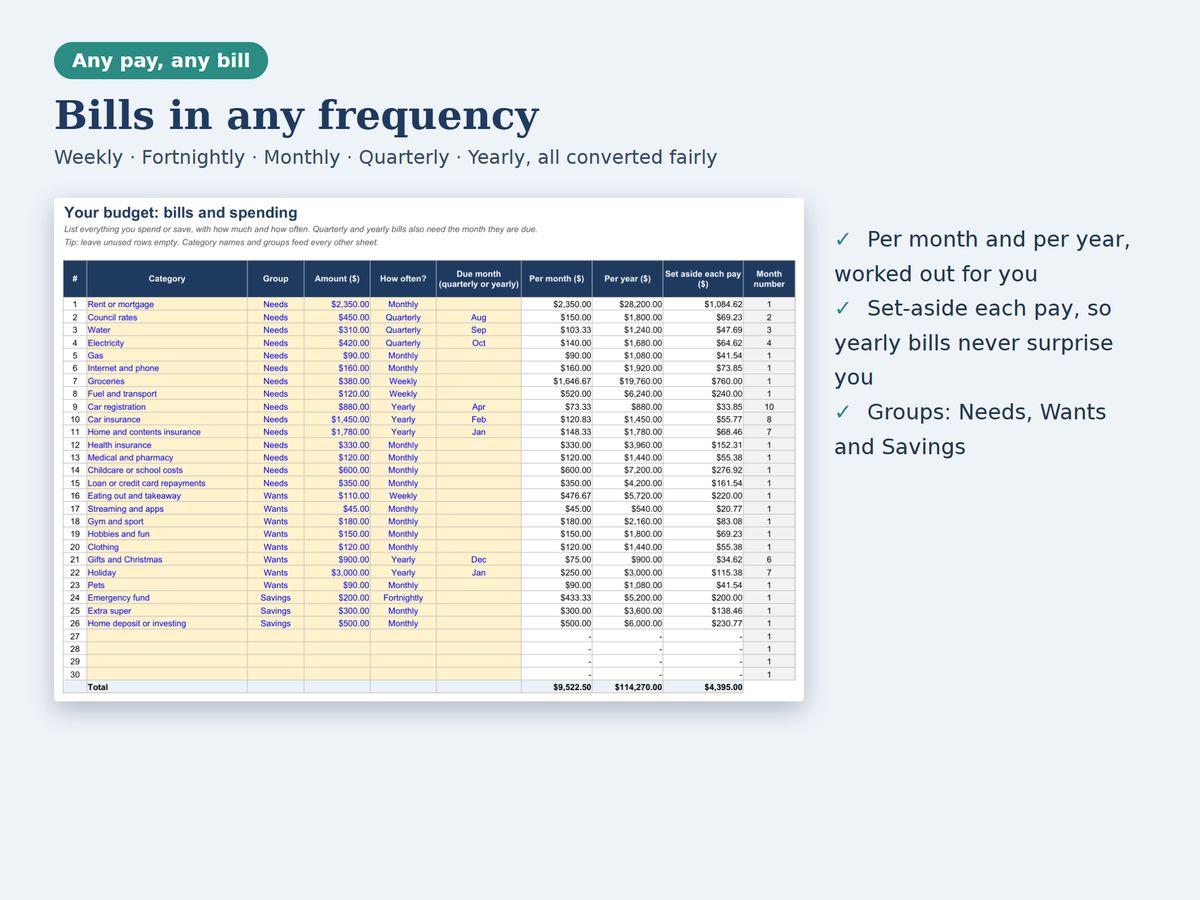
- 30 ready categories such as council rates, rego, water, electricity, health insurance, super and school costs
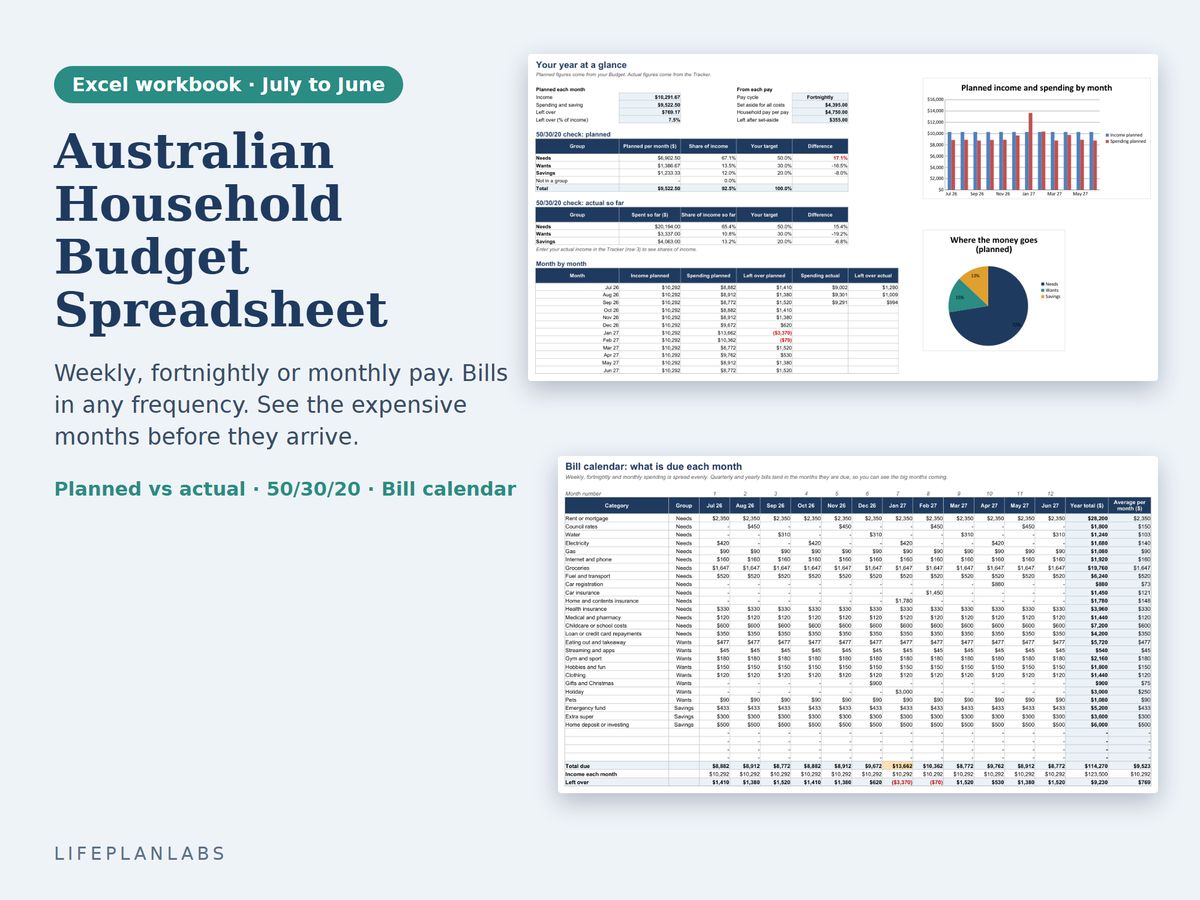
- Bills in any frequency, converted fairly to per month, per year and per pay, with a set aside each pay figure
- A calendar for July to June that shows which bills land in which month and flags months where bills are higher than income
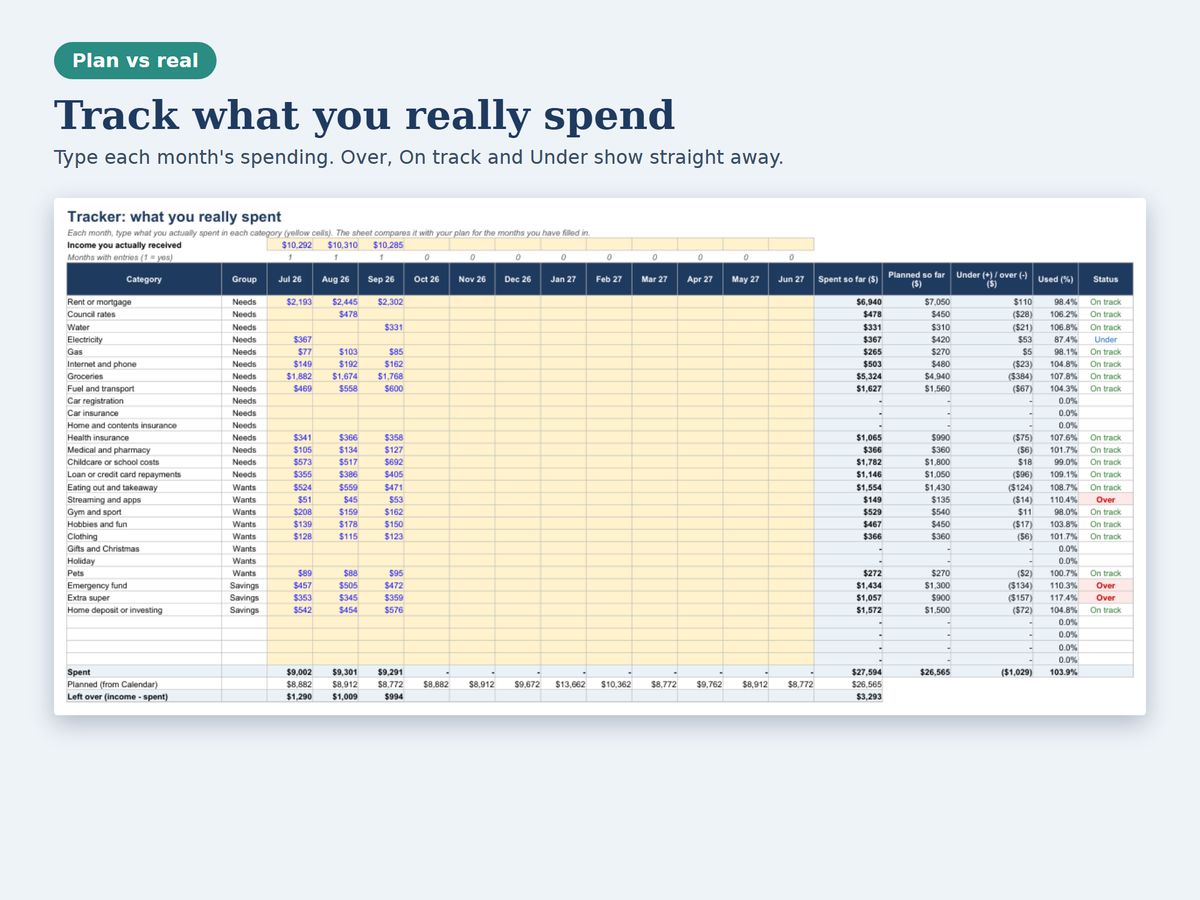
- A tracker for planned versus actual spending, with over, on track and under shown straight away
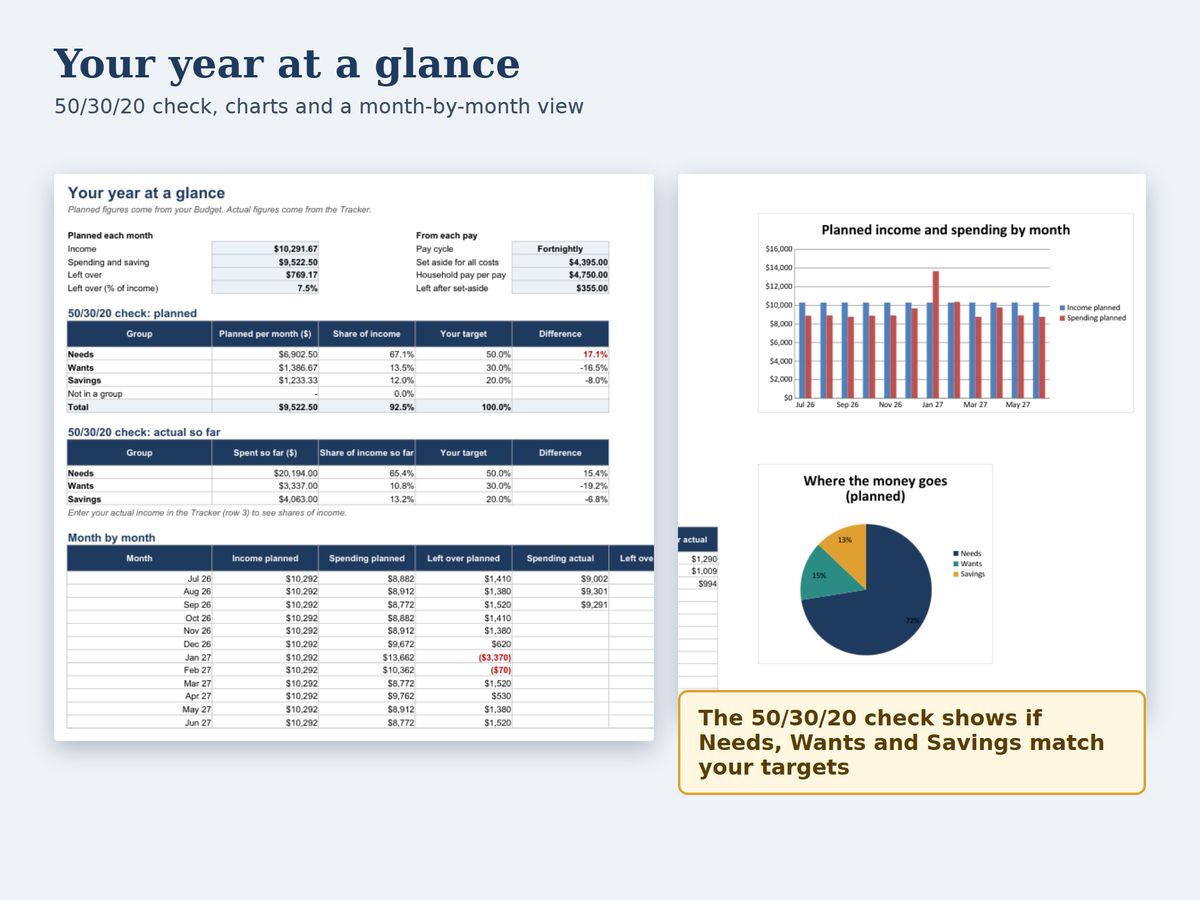
- An Overview with a 50/30/20 check, charts and a month by month table
- A Check sheet that confirms the totals add up
Who it is for
- Couples and families on fortnightly pay
- People caught out by yearly bills such as rego, insurance and school fees
- Anyone who wants to see the expensive months before they arrive
How to use it
- Set up your pay. On Setup, type your take-home pay and how often you are paid, for up to two people.
- List your bills. On Budget, enter each bill with the amount, how often it is due and, for quarterly or yearly bills, the month.
- See the calendar. Open Calendar to see what is due each month from July to June and where bills pass your income.
- Track each month. On Tracker, type what you actually spent. Over and under budget show straight away.
- Review the Overview. Check the 50/30/20 split and the charts, and adjust your targets on Setup.
Details
| Format | Excel workbook (.xlsx), plus a Google Sheets copy |
|---|---|
| Macros | None |
| Sheets | Start Here, Setup, Budget, Calendar, Tracker, Overview, Check |
| Financial year | July to June (Australian) |
| Tested in | Excel format, LibreOffice and Google Sheets |
| Checks | Nine built-in tests that the totals add up |
What it leaves out
- It tracks what you type in. It does not connect to your bank
- It is a general planning tool and not financial advice
Common questions
Does it work in Google Sheets?
Yes. You get a link that makes your own copy in Google Sheets. We opened the Google Sheets copy and checked that the Check sheet passes.
Can I use it for a different financial year?
Yes. Change the date the financial year starts on the Setup sheet. It is set up for 1 July to 30 June.
Does it connect to my bank?
No. You type in your figures, so nothing is shared with anyone.
How are dates shown?
The year start date shows in your computer's own date style, for example Sunday, 1 November 2026 in Australia, or Sunday, November 01, 2026 in the US.
Is this financial advice?
No. It is a general planning tool. Speak to a licensed adviser about your own situation.
More answers are on the shop help page. This product was designed by LifePlanLabs and created with the help of AI tools, then checked against independent calculations and official sources.
Free tools from makekite.com
Free weekly budget planner · Free monthly expense tracker · Free sinking funds tracker