1 of 4 · click the picture or use the arrows to see them all
Debt Payoff Planner Spreadsheet
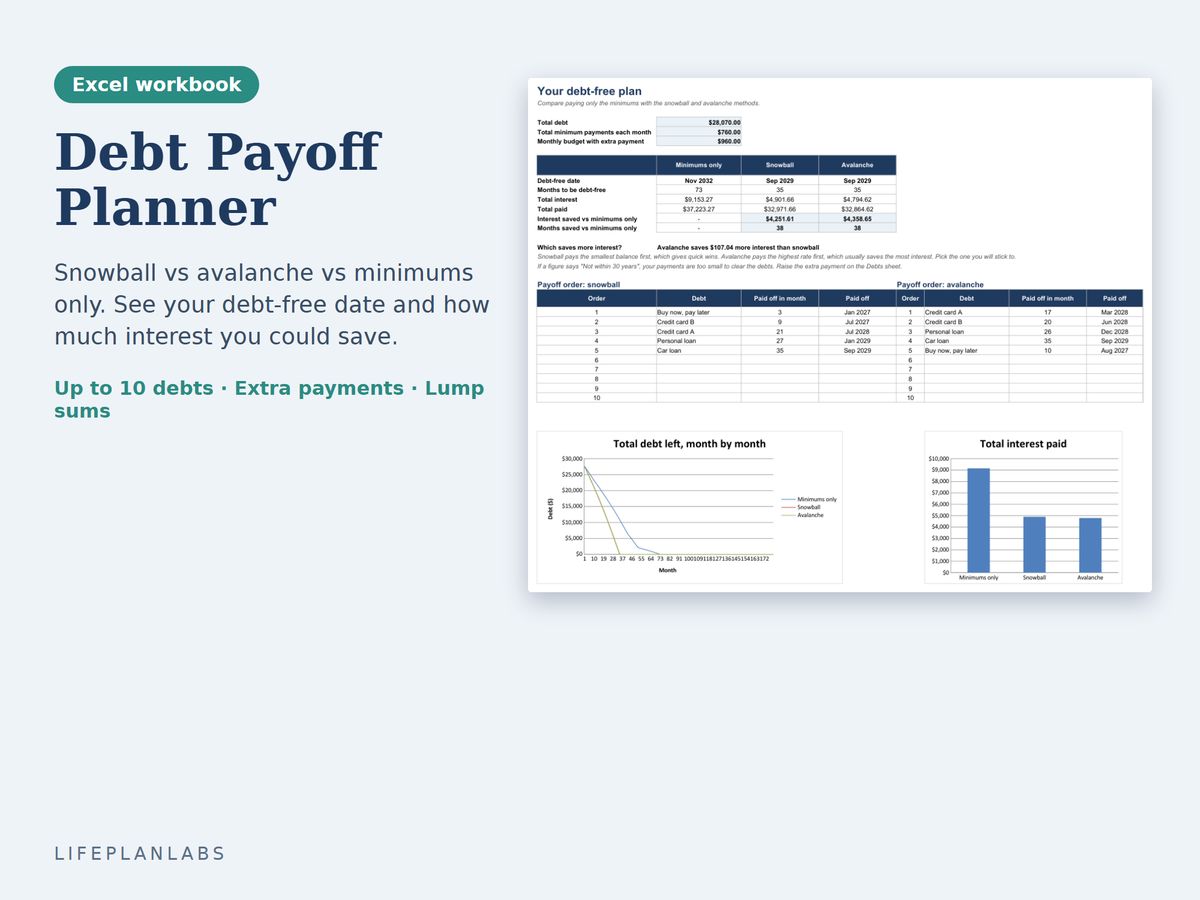
Type in your debts once and compare minimums only, the snowball method and the avalanche method, with your debt-free date and the interest you save.
A$7.50 AUD, one-off, instant download
Excel (.xlsx), no macrosGoogle Sheets copy linkExample and Blank versions
Buy on Etsy · A$7.50You pay on Etsy, which handles the payment securely. Your files are ready to download straight away. Prices are as listed on Etsy, in Australian dollars. Etsy may add GST at checkout.
Updated 31 October 2026. Delivery, formats and licence
What you get
- Planner: Example, filled in with five sample debts
- Planner: Blank, ready for your debts
- A Google Sheets copy link
- A Start Here sheet and a Check sheet
What it does
- Up to 10 debts with balance, interest rate (APR) and minimum payment
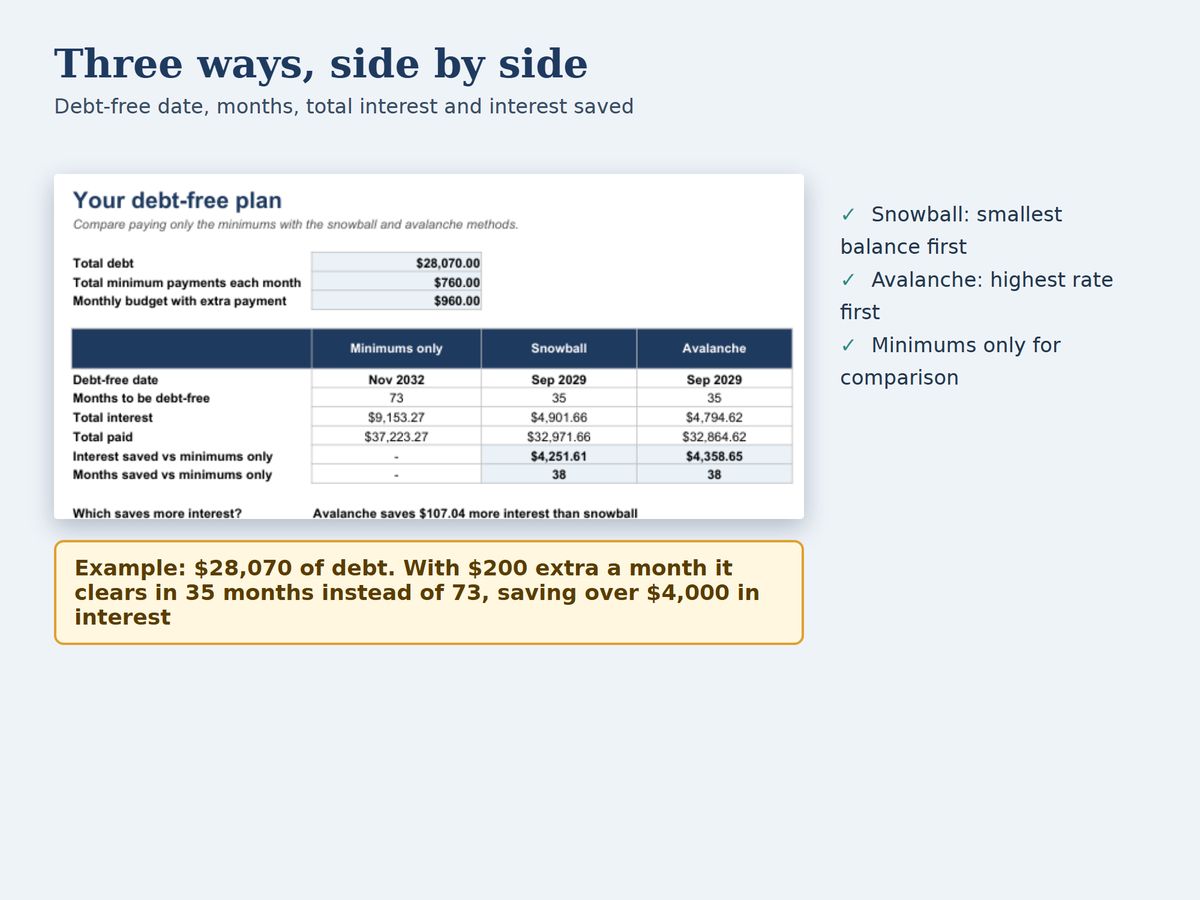
- Minimums only, snowball (smallest balance first) and avalanche (highest rate first) side by side
- Debt-free date, months, total interest, total paid and interest saved for each method
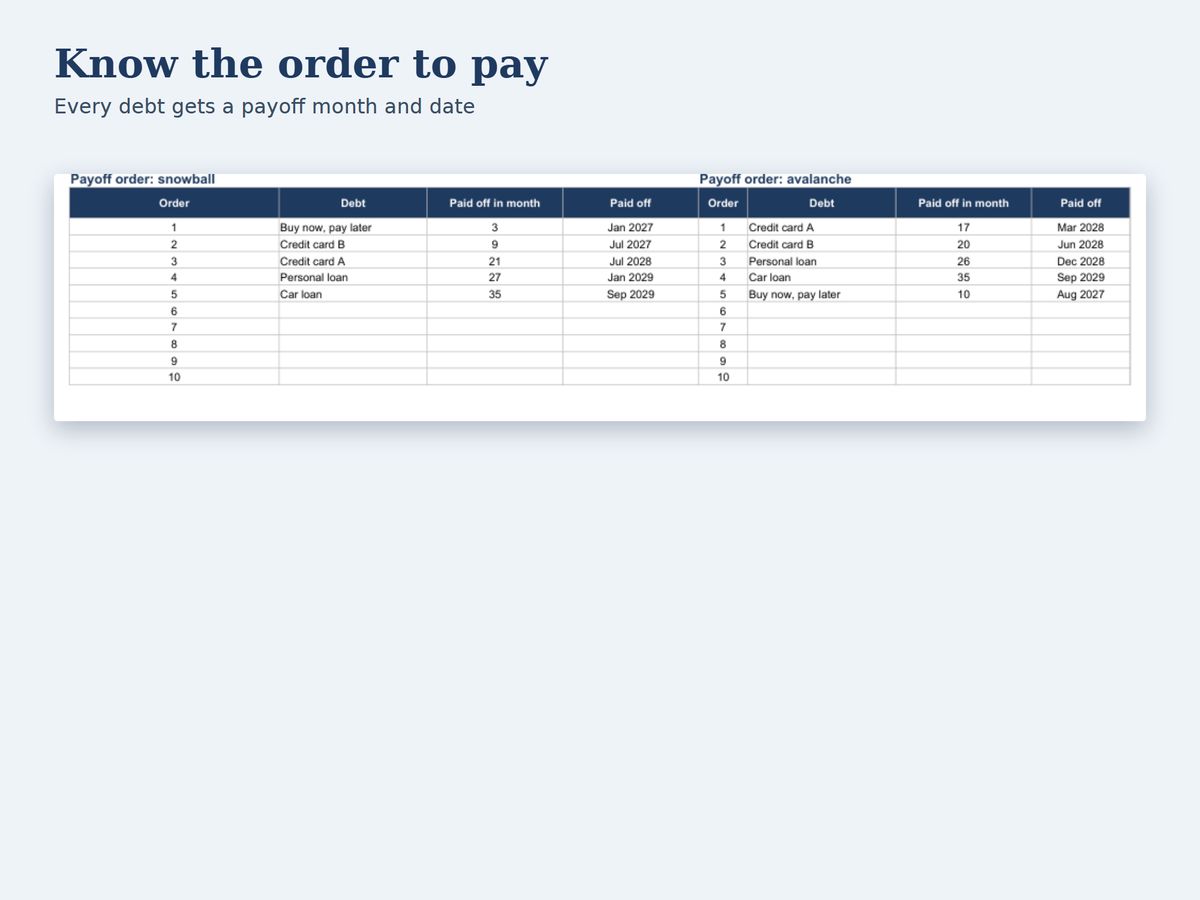
- The payoff order, with the month and date each debt is cleared
- An extra monthly payment and an optional one-off lump sum
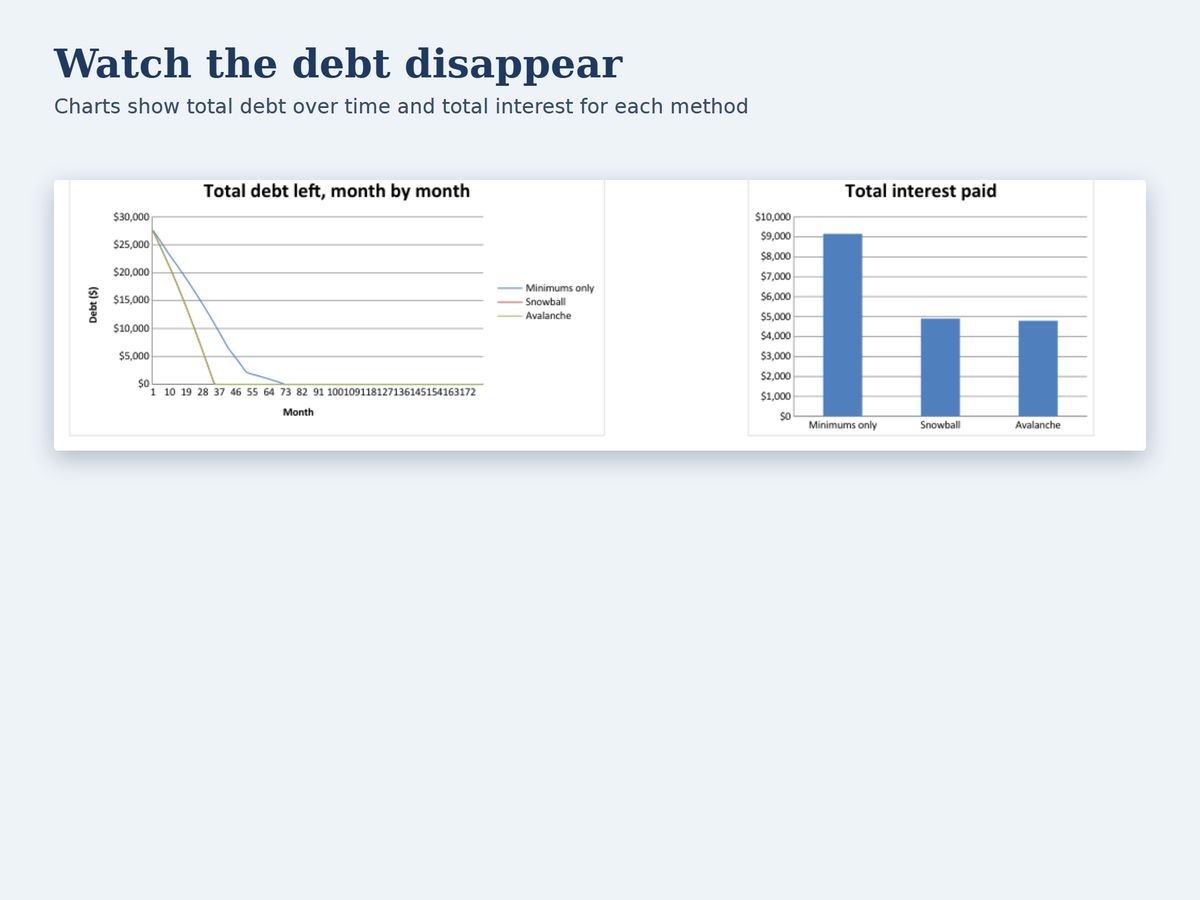
- Charts of your total debt falling month by month and the interest paid
Who it is for
- Anyone with several debts such as credit cards, a car loan, a personal loan or buy now, pay later
- People deciding where an extra $100 or $200 a month does the most good
How to use it
- Enter your debts. On Debts, type each debt's name, balance, interest rate and minimum monthly payment.
- Set the extra payment. Choose the month of your first payment, any extra payment each month and an optional lump sum.
- Read the Plan. The Plan sheet shows your debt-free date and the interest saved with each method.
- Pick a method. Snowball gives quick wins. Avalanche usually costs less interest. Choose the one you will stick with.
Details
| Format | Excel workbook (.xlsx), plus a Google Sheets copy |
|---|---|
| Macros | None |
| Sheets | Start Here, Debts, Plan, Snowball, Avalanche, Minimums only, Check |
| Debts | Up to 10, over up to 30 years |
| Tested in | Excel format, LibreOffice and Google Sheets |
| Checks | Tested against an independent model in 15 scenarios, and compared with the standard loan formulas on the Check sheet |
What it leaves out
- Interest is worked out monthly as balance times APR divided by 12, rounded to the cent. Lender statements can differ slightly (daily interest, fees, rate changes)
- Student loans (HECS-HELP) are indexed rather than charged interest, so they are not included
- It is a planning tool and not financial advice
Common questions
What is the difference between snowball and avalanche?
Snowball pays the smallest balance first, which gives quick wins. Avalanche pays the highest interest rate first, which usually costs less interest. The planner shows both.
Does it work in Google Sheets?
Yes. You get a link that makes your own copy in Google Sheets. We checked that the Google Sheets copy gives the same figures as the Excel file.
What if my payments cannot clear the debts?
The planner shows Not within 30 years and asks you to raise the extra payment.
Is this financial advice?
No. It is a general planning tool. Speak to a licensed adviser about your own situation.
More answers are on the shop help page. This product was designed by LifePlanLabs and created with the help of AI tools, then checked against independent calculations and official sources.
Free tools from makekite.com
Free calculators · Free debt payoff tracker · Practical guides