1 of 3 · click the picture or use the arrows to see them all
MakeKite.com TV
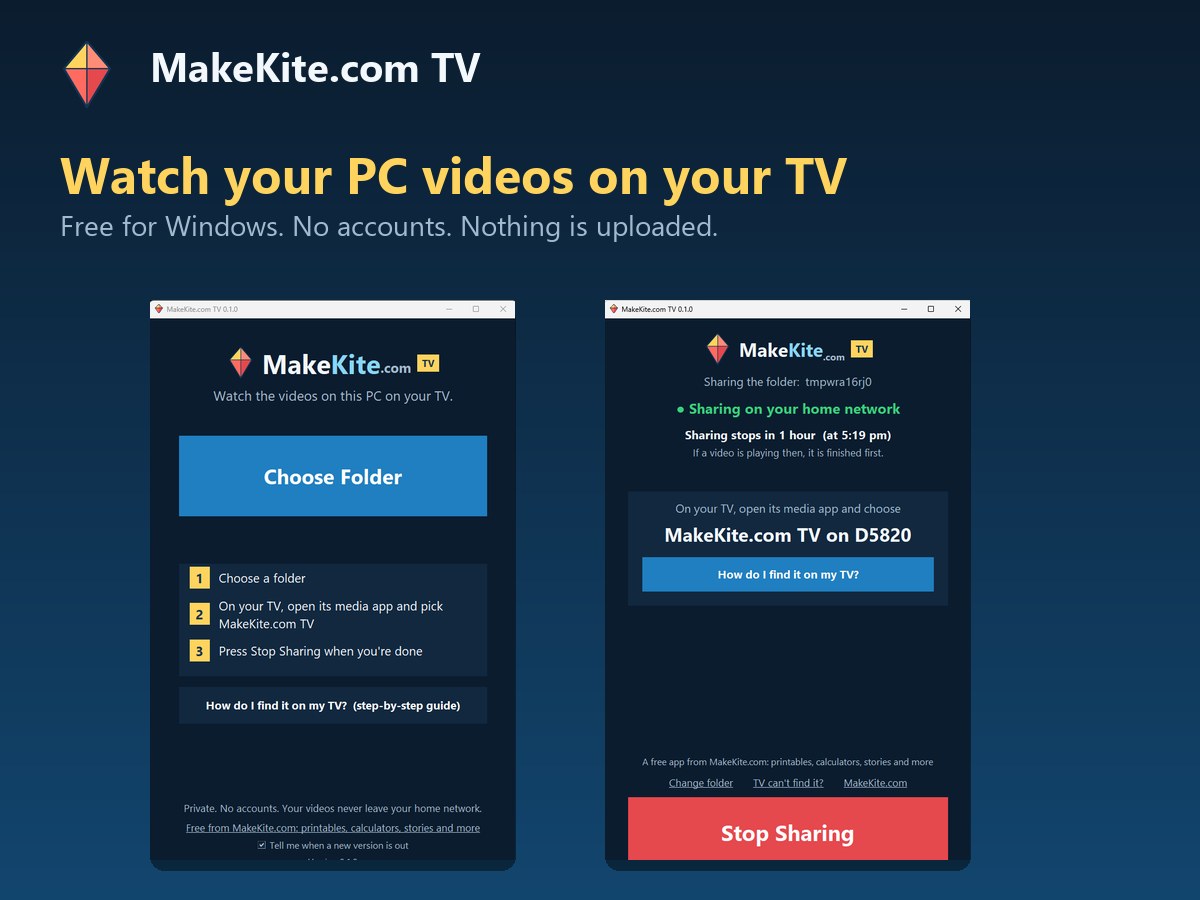
A free Windows app that shows the videos on your PC on your smart TV over home Wi-Fi. Choose a folder, then find it in your TV's own media app.
Free download, no account needed
Free downloadWindows 10 and 11No account needed
Download for Windows · FreeVersion 0.1.0 · 17.1 MB · Windows 10 and 11. Windows may show a blue warning the first time because the app is not code-signed yet: choose More info, then Run anyway. The checksum is in the details below.
Updated 31 October 2026.
What you get
- MakeKiteTV.exe, a single file that runs without installing anything
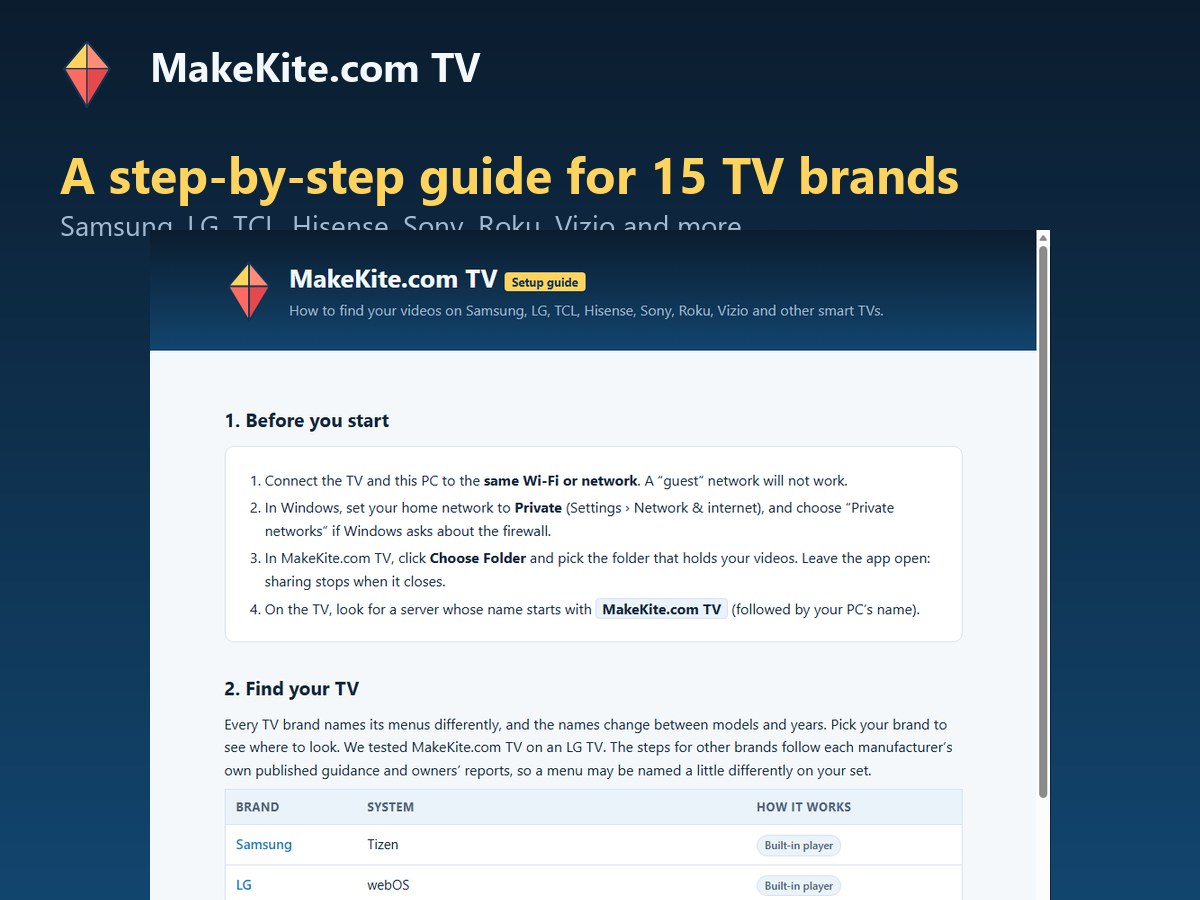
- A built-in step-by-step setup guide for 15 TV brands
- A one-click helper that installs FFmpeg for older video formats (optional)
What it does
- Pick a folder and the TV finds it by itself in its own media app, with no cables and no accounts
- Plays videos and photos, with a cover picture for each video
- Large, clear text and big buttons that are easy to read from an armchair
- Shares for one hour, then closes. If a video is playing at that moment, it waits for the video to finish, so a film is never cut off
- Private: your videos never leave your home network and nothing is uploaded
- Tells you in plain words if Windows is set to a Public network or the firewall is too open
- Optional check for a newer version, which you can switch off
Who it is for
- Anyone who wants to watch videos from a PC on a TV without a USB stick or cables
- Families with holiday videos and photos stored on a computer
- Older relatives, because the app is deliberately simple and easy to read
How to use it
- Download and open it. Download MakeKiteTV.exe and double-click it. Windows may show a blue warning screen: choose More info, then Run anyway. We explain why below.
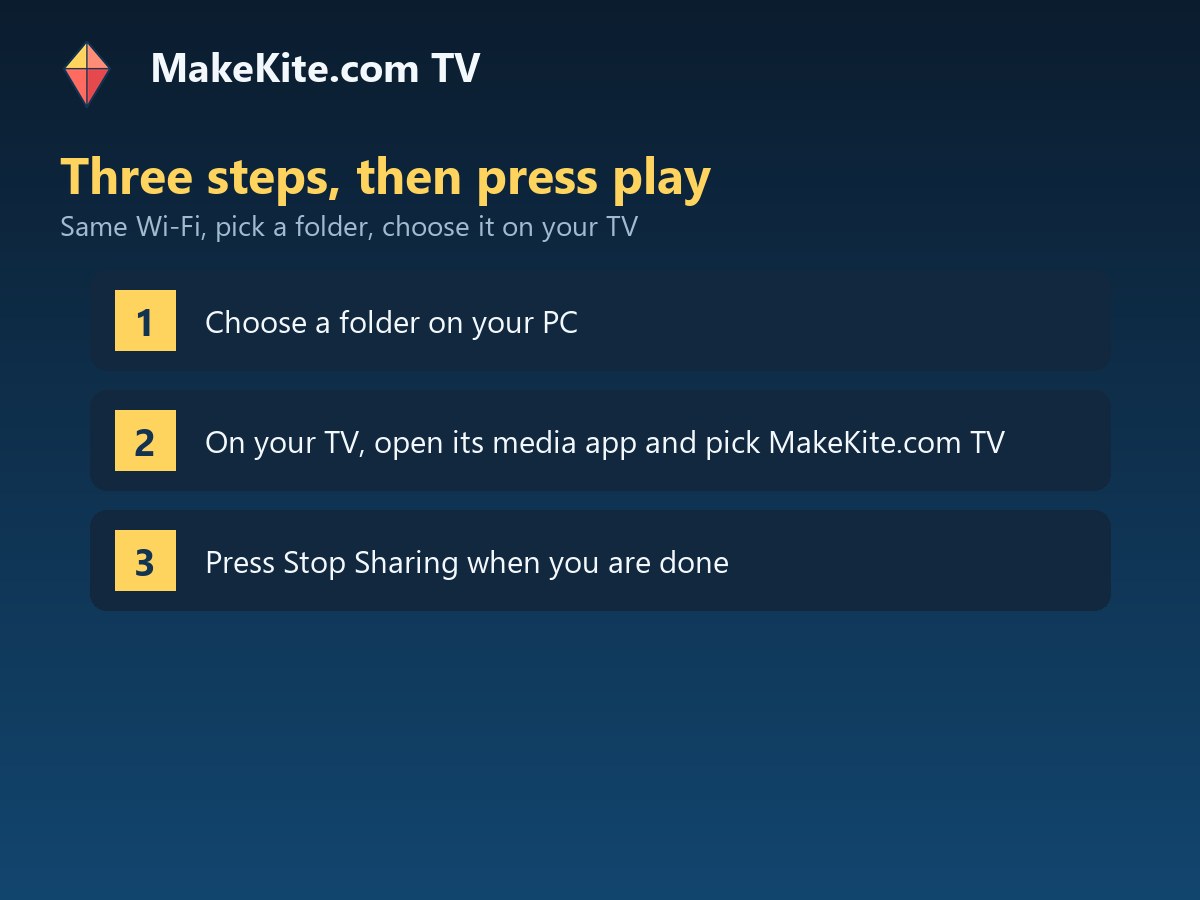
- Choose a folder. Press Choose Folder and pick the folder with your videos. Leave the app open while you watch.
- Find it on the TV. Open the TV's media app (it may be called Media Player, Photo and Video, Multimedia or Source) and choose MakeKite.com TV. Press the big How do I find it on my TV? button in the app for steps for your brand.
- Press play. Pick a folder, then a video. Press Stop Sharing when you have finished.
Details
| Price | Free |
|---|---|
| Platform | Windows 10 and 11, 64-bit |
| Version | 0.1.0 |
| File | MakeKiteTV.exe, 17.1 MB |
| Checksum (SHA-256) | FCD4304534BC48815F33E39BC0353BACE6D2DD7E0B0371FEB345D40266215723 |
| Installer | None: a single file |
| Needs | A smart TV and PC on the same home Wi-Fi or network |
| Privacy | No accounts. Videos never leave your home network. One optional version check against makekite.com |
What it leaves out
- Windows only (Windows 10 and 11, 64-bit)
- The free version shares for one hour at a time, then closes after any video that is playing
- The free version shows a small makekite.com strip on cover pictures and a MakeKite.com tile in the TV's list
- The TV must have a media player that can browse a home network server (most smart TVs do). Some TVs need a free player app such as VLC
- It has not been tested on every TV: we have tested it on an LG. The guide for other brands follows each maker's published instructions
- The free version comes without technical support
Common questions
Why does Windows show a warning?
Windows shows a blue Windows protected your PC screen for new programs that are not signed with a paid code-signing certificate, which we have not bought yet. Choose More info, then Run anyway. You can check the file matches the one we published by comparing its SHA-256 checksum, shown above, with the output of Get-FileHash MakeKiteTV.exe in PowerShell.
Does it cost anything?
No. The free version is free to download and use. There is no account and nothing to sign up for.
Is my video uploaded anywhere?
No. Your TV reads the videos straight from your PC over your home network. Nothing goes to makekite.com or the internet.
My TV cannot find it. What now?
Check that the TV and PC are on the same Wi-Fi, that Windows is set to a Private network and that the app is still open. The How do I find it on my TV? button opens a guide with a checklist and steps for 15 TV brands.
Why does it stop after an hour?
The free version shares for one hour at a time. If a video is playing when the hour is up, it waits for the video to end first. Choose your folder again to carry on.
Is technical support included?
No. The free version comes without technical support. The guide in the app and the questions on this page cover the common problems.
Does it work on Mac, Linux or phones?
Not at the moment. It is a Windows app. Phones and tablets can browse the shared folder with a player app such as VLC while the Windows app is running.
The free version of this app is provided as is and comes without technical support. It reads one small file from makekite.com when it opens, to see whether a newer version is out; see our privacy page.
Free tools from makekite.com
Free printable templates · Free calculators · Free children's stories